AboutTermsPrivacyContact
 
Updating
Global VPN

Global VPN

Released: 2013-12-14
© 2017 Portable Ltd
Global VPN - QR Code
Version 10.31
4+
Download on the App Store
Version 10.31
4+
Download on the App Store
Released: 2013-12-14
© 2017 Portable Ltd

iPhone Screenshots

Screenshot
Screenshot
Screenshot
Screenshot
Screenshot

iPad Screenshots

Screenshot
Screenshot
Screenshot
Screenshot
Screenshot

Description

Try Global VPN for Free - UNLIMITED FREE 7 DAY SUBSCRIPTION!
Servers in 40+ Countries! Dedicated Asia to US, UK and Europe routes with epic bandwidth!
Global VPN secures and speeds up your Internet connection, transferring you around the globe. Simply select which country you want to surf the Internet from and Global VPN reroutes your traffic.
Access Internet services in the US, UK, Europe and Asia though our high speed network.
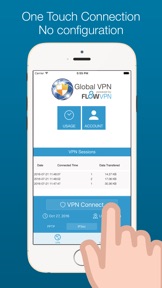
One Touch to connect!
By using Global VPN your Internet traffic is sent to one of our servers around the globe, and then sent across a main Internet backbone.
The VPN service also provides a secures your connection by encrypting your traffic until it reaches our servers.
Features:
* Unmetered - No bandwidth limit
* Faster access to US, European and Asian websites
* Servers across 40+ countries
* Secure data across Wifi networks
* Easy and quick configuration
* Supports IPSec, PPTP, L2TP and OpenVPN
* Works through most Firewalls and ISPs
* We don't sell or profit from your data
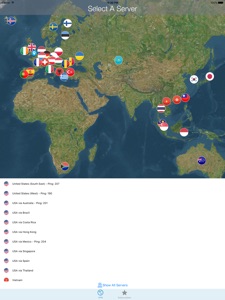
Servers in US, UK, Hong Kong. Australia, Brazil, Canada, Czech Republic, Ireland, Finland, France, Germany, Holland, Hungary, Ireland, Italy, Japan, Romania, Singapore, South Africa, Spain, Switzerland, Taiwan, Thailand, Turkey - ALL UNMETERED!
High speed routes from Asia to UK and US: Connect to a local server in Asia and your traffic will be routed across our premium network to the UK or US, providing significantly faster connections than local ISPs.
We do not allow P2P / BitTorrent - all users will be disconnected and banned, and all connection metadata logged.
To use your account on your other device:
On Subscribed Device:
Select Subscription Tab
Select Manage Account
Select Migrate
Confirm subscription
On New Device:
Select Subscription Tab
Select Manage Account
Select Login
Login with same Apple ID as used on other device
Your device will be configured
In App Purchases:
You can choose to buy single subscriptions that do not automatically renew, or subscriptions that will automatically renew so you are always protected. You are always in control of your subscriptions and can cancel at any time.
By default the subscriptions will automatically renew. If you would prefer to purchase a single subscription so you will not automatically be charged again, simply touch the switch under the subscription so turn it off.
If you have any questions or need help you can contact us at help@flowvpn.com any time.
You can choose the following subscription lengths for subscription (prices shown for US region):
7 Days - $1.99
1 Month - $5.99
3 Months - $13.99
12 Months - $42.99 - Just $0.83 per week!
The price of subscription you will be charged is displayed in the app, and will be confirmed before you are charged. It is best value to subscribe for 12 months, however we also offer shorter subscriptions.
Payment will be charged to iTunes Account at confirmation of purchase.
If you choose, subscription automatically renews unless auto-renew is turned off at least 24-hours before the end of the current period.
Your account will be charged for renewal within 24-hours prior to the end of the current period, and identify the cost of the renewal.
Subscriptions may be managed by the user and auto-renewal may be turned off by going to the user's Account Settings after purchase.
No cancellation of the current subscription is allowed during active subscription period
Any unused portion of a free trial period or current subscription, will be forfeited when purchasing an auto-renewing VPN Subscription.
Access to the VPN service is subject to our terms and conditions, you will be asked to review and agree to these in the application. You can view them any time at https://www.flowvpn.com/vpn-terms/
Instructions to manage your auto-renewing subscriptions can be found here: https://support.apple.com/en-gb/HT202039
If you have any questions or need any further information email us at help@flowvpn.com

What's New in Version 10.31

7 Day Free VPN Access
We've improved connection speed and stability

Seller

Name

Portable Ltd

URL

Information

Developer

Categories

Version

10.31

Size

29.9 MB

Game Center

No

VPP Device Licensing

Yes

Rating

Rated: 4+

Compatibility

iOS 6.0 or later

Devices

iPhone 3GS, iPhone 4, iPhone 4S, iPhone 5, iPhone 5c, iPhone 5s, iPhone 6, iPhone 6 Plus, iPhone 6s, iPhone 6s Plus, iPhone SE, iPhone 7, iPhone 7 Plus, iPhone 8, iPhone 8 Plus, iPhone X, iPhone XR, iPhone XS, iPhone XS Max, iPhone 11, iPhone 11 Pro, iPhone 11 Pro Max, iPhone SE (2nd generation), iPhone 12, iPhone 12 Pro, iPhone 12 Pro Max, iPhone 12 mini, iPhone 13, iPhone 13 Pro, iPhone 13 Pro Max, iPhone 13 mini, iPhone SE (3rd generation), iPhone 14, iPhone 14 Plus, iPhone 14 Pro, iPhone 14 Pro Max, iPhone 15, iPhone 15 Plus, iPhone 15 Pro, iPhone 15 Pro Max, iPad 2 (Wi-Fi), iPad 2 (3G), iPad (3rd Generation) (Wi-Fi), iPad (3rd Generation) (4G), iPad (4th Generation) (Wi-Fi), iPad (4th Generation) (4G), iPad (5th Generation) Wi-Fi, iPad (5th Generation) Wi-Fi + Cellular, iPad (6th generation) Wi-Fi, iPad (6th generation) Wi-Fi + Cellular, iPad Pro, iPad Pro (Cellular), iPad Pro (9.7-inch), iPad Pro (9.7-inch) (Cellular), iPad Pro 12.9-inch (2nd generation), iPad Pro 12.9-inch (2nd generation) Wi-Fi + Cellular, iPad Pro (10.5-inch), iPad Pro (10.5-inch) Wi-Fi + Cellular, iPad Pro (11-inch), iPad Pro (11-inch) Wi-Fi + Cellular, iPad Pro 12.9-inch (3rd generation), iPad Pro 12.9-inch (3rd generation) Wi-Fi + Cellular, iPad Air, iPad Air (Cellular), iPad Air 2, iPad Air 2 (Cellular), iPad Air (3rd generation), iPad Air (3rd generation) Wi-Fi + Cellular, iPad mini (Wi-Fi), iPad mini (4G), iPad mini Retina, iPad mini Retina (Cellular), iPad mini 3, iPad mini 3 (Cellular), iPad mini 4, iPad mini 4 (Cellular), iPad mini (5th Generation), iPad mini (5th Generation) Wi-Fi + Cellular, iPad (7th generation) Wi-Fi + Cellular, iPad Pro 11-inch (2nd generation), iPad Pro 11-inch (2nd generation) Wi-Fi + Cellular, iPad Pro 12.9-inch (4th generation), iPad Pro 12.9-inch (4th generation) Wi-Fi + Cellular, iPad Air (4th Generation) (Wi-Fi), iPad Air (4th Generation) (Wi-Fi + Cellular), iPad (8th generation) Wi-Fi, iPad (8th generation) Wi-Fi + Cellular, iPad Pro 11-inch (3rd generation), iPad Pro 11-inch (3rd generation) Wi-Fi + Cellular, iPad Pro 12.9-inch (5th Generation), iPad Pro 12.9-inch (5th Generation) Wi-Fi + Cellular, iPad (9th Generation), iPad (9th Generation) Wi-Fi + Cellular, iPad mini (6th Generation), iPad mini (6th Generation) Wi-Fi + Cellular, iPad Air (5th generation), iPad Air (5th generation) Wi-Fi + Cellular, iPad Pro 11-inch (4th generation), iPad Pro 11-inch (4th generation) Wi-Fi + Cellular, iPad Pro 12.9-inch (6th generation), iPad Pro 12.9-inch (6th generation) Wi-Fi + Cellular, iPad (10th generation), iPad (10th generation) Wi-Fi + Cellular, iPod touch (4th generation), iPod touch (5th generation), iPod touch (6th Generation), iPod touch (7th generation)

Languages

English, Catalan, Chinese, Czech, Danish, Dutch, Finnish, French, Georgian, German, Greek, Hebrew, Hungarian, Indonesian, Italian, Japanese, Korean, Latvian, Norwegian Bokmål, Polish, Portuguese, Romanian, Russian, Serbian, Slovak, Slovenian, Spanish, Swedish, Thai, Turkish, Ukrainian, Welsh

App Store: Customer Ratings

Ratings & Reviews

4.5 of 5 (7 Ratings)

App Store: Customer Reviews

2015-07-28

No support.

I have written to to support already twice. My iPad cannot connect. When you choose the server it takes you through the configuration page on Safari. That goes nowhere. So I copied the address into chrome and it seemed to work. But it does not. If i try and merge the account you have on your Mac to that on the iPad it tells me that I have already done it (it is showing a subscription till July 18, 2015! and I have purchased a yearly subscription till 2016... And we are back to the beginning. There is no way out of this loop or I cannot find it and support is not supporting. I wish that Apple would look into this
MaxColla
Version 9.0
2014-11-10

Poor

Using this in china. Pathetically slow when accessing Facebook-photos are always loading and end up with connection failed. Not to mention streaming YouTube.
IphoneStrikesBacka
Version 9.0
2014-10-03

Its good the connection

Is there no free for this application for life time
Gwynth ashley
Version 9.0