Description
Project management with natural gestures on the Gantt chart designed for small touchscreens. Sync projects across multiple devices, and share projects in teams AND supports Microsoft Project Plan integration.
## iPhone ONLY
This version is for iPhone only, so users can get the app at a lower price if they only want to use it on iPhone.
## PRIVACY FOCUSED:
User-created projects are stored on the user's device or in iCloud Drive, whichever the user chooses.
* Feature Video https://youtu.be/Ean-OpZkhEQ
* No In-App Purchases.
*QuickPlan is now available for macOS (download the free 15-day trial at https://quickplan.app/trial).
QuickPlan makes project planning more convenient than ever. NATURAL GESTUREs and keyboard shortcuts are used in a clean and elegant interface that makes project management more accessible, faster and more efficient than ever before. Visualize, manage and simplify projects in Gantt charts, structure tasks in a tree structure, organize your project calendar and resources, track task status. It's easier than you think, all at your fingertips with a minimum of effort and learning.
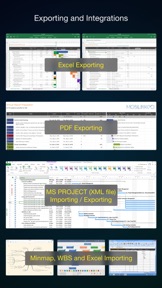
QuickPlan supports exporting projects to image, Excel, PDF, Microsoft Project and WBS files and importing projects from Microsoft Project (in XML format), WBS, Mindmap, and Excel files. Plans can be synchronized with multiple devices via iCloud Drive. They can be shared with other users and devices via AirDrop, email, and the iOS Files app.
QuickPlan optimizes the best features of Microsoft Project Plan and makes them work for iPhone - without the complexity. We bring INTUITIVE and discoverable project management to users of all experience levels.
## EFFICIENT MAINTENANCE
- Gestures for tasks: create, remove, move, indent and outdent, change order.
- Gestures to zoom in and out, collapse and expand.
- Dynamic context menu system makes scheduling a reality on a small touch screen
- Batch input
- The most fluid Gantt chart app on a clean interface.
- Context-based editing of outline, Gantt chart and inspectors.
## STRONG PLANNING
- Multiple projects in groups, with support for duplication.
- Organize tasks into REAL task groups and sub-projects.
- Task color, icon, contact, URLs, and other necessary task fields.
- Five outline levels (plus sub-project, for a total of ten outline levels).
. Gesture-based management of task links.
. Project currency, charge rate, project resource, calendar, task date policy.
## TREE and LIST
- Rendering as a tree with support for key path display.
- Rendering as a list with support for sorting and filtering.
## UI CUSTOMIZATION
- Customization of the task column title and visibility.
- Style of the task bar.
## REPORTING
- Export as image, PDF, and Microsoft Excel (including three sheets).
- With options to customize the output.
## SYNC
- Sync projects between iOS and Mac devices via iCloud Drive, OneDrive, and Dropbox.
## INTEGRATION
- Export and import Microsoft Project XML files.
- Import and export SwiftApp WBS files.
- Import from Microsoft Excel files.
- Import from iThought Map files.
## SHARE
- Supports Airdrop, OneDrive, Dropbox.
## TEAM
- Supports creating a sub-plan for specific project members.
- The sub-plan contains only the tasks for the specific members.
## NOTIFICATION
- Widget to track ongoing tasks (iOS 14 or later).
- Today widget and Local Notification.
QuickPlan simplifies the complexity of project planning that sets ease as the ultimate goal in organizing your professional projects, plans, efforts, goals and life. The best project planning app for iPhone
- Initialize, discuss, present and share your plan, and export it to Microsoft Project Plan for future work.
- Strategic Planning
- Import MS Project file (in XML format) and reports, tracking.
- Plan new ideas
- Agree and confirm actions in meetings
- Discuss, plan and assign tasks
- Track project progress
QuickPlan for iPadOS is available separately at https://itunes.apple.com/app/id621375878.