AboutTermsPrivacyContact
 
Updating
Pop Dot Comics

Pop Dot Comics

Released: 2012-08-24
Pop Dot Comics - QR Code
Version 1.48
4+
Download on the App Store
Version 1.48
4+
Download on the App Store
Released: 2012-08-24

iPhone Screenshots

Screenshot
Screenshot
Screenshot
Screenshot
Screenshot

iPad Screenshots

Screenshot
Screenshot
Screenshot
Screenshot
Screenshot

Description

Create a comic worthy of the Sunday newspaper or your favorite pulp-fiction cover.
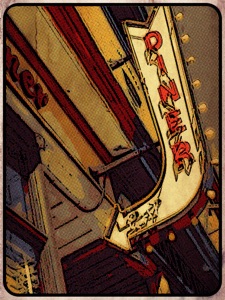
Pop Dot Comic is a fun way to create comic-book style illustrations from your snapshot or ones taken of your friends and family. Pop Dot Comic applies thick outlines, bold colors, and plenty of benday dots to newsprint or pulp papers to give every creation the look of one that’s been printed or published.
In the past, halftones were tediously inked in by cartoon artists or created in darkrooms. With Pop Dot Comic you can easily and quickly convert your photo into a comic book drawing that’s worthy enough for the Sunday newspaper or your favorite pulp-fiction cover. With a library of included “Fun Stuff”, custom messages can be added to speech bubbles and sound effects will give your creation “POW”. When your finished creating a comic book photo save it to your library or post them to your friends and family for funny moments.


COMIC STYLES

• Sunday Comics — Creates a Cartoon Photo 

• Halftone — Transforms a photo into a Halftone Newspaper Photo

• Pop Comics — Converts photos into a bright Pop Art Lichtenstein-style Cartoon

• Pulp Comics — Renders a Cartoon with Vintage Color on Aged Pulp Paper

• Noir Comics — Creates a contrasted toned or blk/white Comic with selective color like those used in the Sin City series
Pop Dot Comics is a professional cartoon effect that can be done directly on your iPhone, iPad and Mac.
•Convert all your images and pictures into cartoon-style effect quickly
•Choose a preset for a quick start
•Use large photos for a high-end result!
•Crop your photo to remove unwanted parts of an image
•Choose between 5 comic styles: Sunday Comics, Halftone, Noir Comics, Pop Comics, Pulp Comics
•Make adjustments to outlines, color, border width, border inset and pulp papers
•Choose between Dots, Lines and Halftones
•Edit and resize “Fun Stuff” and “Bubbles” with an easy one-finger gesture
•Share via Email, Facebook, Twitter and Tumblr
•Save to Camera Roll
Easy to Use
•Tap to edit type in speech & thought bubbles
•Long Press to delete fun stuff and bubbles
•Pull edges of fun stuff and speech bubbles to resize
•Touch and hold center to move
FEATURES

Benday Dots — like those used in the traditional printing process. Benday Dots are two (or more) different small, colored dots combined to create a third color. Back in the day, pulp comic books used Benday Dots in primary colors to inexpensively create the secondary colors such as flesh tone.


Fully adjustable control on all aspects of the process: Dot or Line size, Outline size, Color variation, Border: Width, Inset, Color & Corner Radius.


INCLUDES

Newsprint and Pulp Papers


UNIVERSAL FEATURES

All JixiPix Apps come with: Superior Customer Service, Support for High-Resolution Images & Output, Undo/Redo, Randomize Button, Quick Presets and the ability to create Custom Presets, Cropping with the ability to specify aspect ratio, Quick Preview, Email, Print, and the ability to post directly to Facebook, Instagram, Twitter, and Tumblr. We also have an online art gallery and invite our user’s to display their artistic creations on it: http://www.flickr.com/groups/jixipixcreations/


***************


“JixiPix turns any photo into a masterpiece. All that is required of you is the appreciation — we’ll take care of the rest!”
JixiPix.com “Creative Tools for Creative People"
Photography | Artistic | Graphic Apps

MAC • iPad • iPhone

What's New in Version 1.48

Optimization, bug fixes and performance improvements.

Seller

Name

JixiPix, LLC

Information

Categories

Version

1.48

Size

71.6 MB

Game Center

No

VPP Device Licensing

Yes

Rating

Rated: 4+

Compatibility

iOS 15.0 or later

Devices

iPhone 5s, iPhone 6, iPhone 6 Plus, iPhone 6s, iPhone 6s Plus, iPhone SE, iPhone 7, iPhone 7 Plus, iPhone 8, iPhone 8 Plus, iPhone X, iPhone XR, iPhone XS, iPhone XS Max, iPhone 11, iPhone 11 Pro, iPhone 11 Pro Max, iPhone SE (2nd generation), iPhone 12, iPhone 12 Pro, iPhone 12 Pro Max, iPhone 12 mini, iPhone 13, iPhone 13 Pro, iPhone 13 Pro Max, iPhone 13 mini, iPhone SE (3rd generation), iPhone 14, iPhone 14 Plus, iPhone 14 Pro, iPhone 14 Pro Max, iPhone 15, iPhone 15 Plus, iPhone 15 Pro, iPhone 15 Pro Max, iPhone 16, iPhone 16 Plus, iPhone 16 Pro, iPhone 16 Pro Max, iPhone 16e, iPhone 17, iPhone 17 Pro, iPhone 17 Pro Max, iPhone Air, iPad (5th Generation) Wi-Fi, iPad (5th Generation) Wi-Fi + Cellular, iPad (6th generation) Wi-Fi, iPad (6th generation) Wi-Fi + Cellular, iPad Pro, iPad Pro (Cellular), iPad Pro (9.7-inch), iPad Pro (9.7-inch) (Cellular), iPad Pro 12.9-inch (2nd generation), iPad Pro 12.9-inch (2nd generation) Wi-Fi + Cellular, iPad Pro (10.5-inch), iPad Pro (10.5-inch) Wi-Fi + Cellular, iPad Pro (11-inch), iPad Pro (11-inch) Wi-Fi + Cellular, iPad Pro 12.9-inch (3rd generation), iPad Pro 12.9-inch (3rd generation) Wi-Fi + Cellular, iPad Air, iPad Air (Cellular), iPad Air 2, iPad Air 2 (Cellular), iPad Air (3rd generation), iPad Air (3rd generation) Wi-Fi + Cellular, iPad mini Retina, iPad mini Retina (Cellular), iPad mini 3, iPad mini 3 (Cellular), iPad mini 4, iPad mini 4 (Cellular), iPad mini (5th Generation), iPad mini (5th Generation) Wi-Fi + Cellular, iPad (7th generation) Wi-Fi + Cellular, iPad Pro 11-inch (2nd generation), iPad Pro 11-inch (2nd generation) Wi-Fi + Cellular, iPad Pro 12.9-inch (4th generation), iPad Pro 12.9-inch (4th generation) Wi-Fi + Cellular, iPad Air (4th Generation) (Wi-Fi), iPad Air (4th Generation) (Wi-Fi + Cellular), iPad (8th generation) Wi-Fi, iPad (8th generation) Wi-Fi + Cellular, iPad Pro 11-inch (3rd generation), iPad Pro 11-inch (3rd generation) Wi-Fi + Cellular, iPad Pro 12.9-inch (5th Generation), iPad Pro 12.9-inch (5th Generation) Wi-Fi + Cellular, iPad (9th Generation), iPad (9th Generation) Wi-Fi + Cellular, iPad mini (6th Generation), iPad mini (6th Generation) Wi-Fi + Cellular, iPad Air (5th generation), iPad Air (5th generation) Wi-Fi + Cellular, iPad Pro 11-inch (4th generation), iPad Pro 11-inch (4th generation) Wi-Fi + Cellular, iPad Pro 12.9-inch (6th generation), iPad Pro 12.9-inch (6th generation) Wi-Fi + Cellular, iPad (10th generation), iPad (10th generation) Wi-Fi + Cellular, iPad Air 11-inch (M2) Wi-Fi, iPad Air 13-inch (M2) Wi-Fi, iPad Air 13-inch (M2) Wi-Fi + Cellular, iPad Pro 11-inch (M4) Wi-Fi, iPad Pro 11-inch (M4) Wi-Fi + Cellular, iPad Pro 13-inch (M4) Wi-Fi, iPad Pro 13-inch (M4) Wi-Fi + Cellular, iPad mini (A17 Pro) Wi-Fi, iPad mini (A17 Pro) Wi-Fi + Cellular, iPad (A16) Wi-Fi, iPad (A16) Wi-Fi + Cellular, iPad Air 11-inch (M3) Wi-Fi, iPad Air 11-inch (M3) Wi-Fi + Cellular, iPad Air 13-inch (M3) Wi-Fi, iPad Air 13-inch (M3) Wi-Fi + Cellular, iPad Pro 11-inch (M5) Wi-Fi, iPad Pro 11-inch (M5) Wi-Fi + Cellular, iPad Pro 13-inch (M5) Wi-Fi, iPad Pro 13-inch (M5) Wi-Fi + Cellular, iPod touch (6th Generation), iPod touch (7th generation)

Languages

App Store: Customer Ratings

Ratings & Reviews

3.0 of 5 (1 Rating)

App Store: Customer Reviews

2012-10-28

Great potential

My favourite comic app so far. Lots of different effects and fonts. Crashes almost all the time when I try to save to my phone. Will be a great app when crashes are fixed!
shuls11
Version 1.01