Updating


±0
#3 in Top Paid Apps > Navigation
-17
#54 in Top Grossing Apps > Navigation
iPhone Screenshots





Description
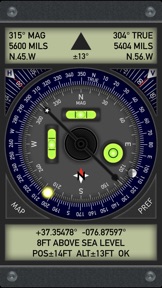
Pro Compass replicates the look and feel of classic pocket compass hardware in use since the 1800s, adding modern features and technologies. The app uses advanced OpenGL graphics (normally reserved for games) to render 3D floating compass hardware for realistic operation.
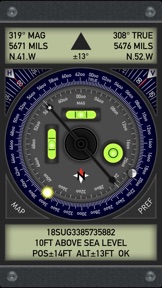
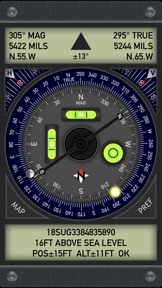
Pro Compass offers nine different compass modes with direct read, traditional, and rosette styles capable of displaying degrees, quads, or mils (the direct read mode shows a North-South needle and reversed East-West convention). In all display modes, Pro Compass shows both magnetic and true direction simultaneously, with a rotating outer true ring that is automatically adjusted for local magnetic declination. Sun and Moon position are marked on the compass rings and continually updated.
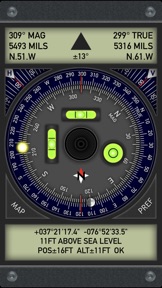
Pro Compass displays location and altitude, with decimal, degree-minute-second, UTM, and MGRS position formats. An optional "Datum Pack" adds over 230 geodetic datums covering regions and countries on all continents around the world. The app also contains a built in two-axis inclinometer that drives two independent bubble levels and a bullseye level. The inclinometer has angle readout dials for each axis, making it useful for many different types of measurements including slopes, pitches, sight lines, and geological angles like dip and strike.
After using Pro Compass, you'll see why it's the best and most realistic compass available on the App Store! Also be sure to check out the new Pro Compass for Watch, available for all Apple Watch models running watchOS 6 or later.
***** IMPORTANT ACCURACY NOTE *****
Pro Compass reports accuracy directly from the magnetometer sensor in your device. This accuracy is determined by the hardware, not the application itself.
To improve results, operate Pro Compass away from any electronics or other sources of electro-magnetic interference, including car dashboards, aircraft cockpits, metal structures, and other devices.
Please contact the developer via the support link if you need additional information about accuracy or operation of Pro Compass.
What's New in Version 2.0.1
2.0.1 is a quick bug fix update to correct a graphics bug that caused a stray compass needle to be drawn on the ring instead of a full moon (Halloween werewolf bug?). In version 2.0, graphics have been touched up and modernized without changing the app's classic look and feel. New icon. Interface updates for iOS 13 and new devices. Sun and moon indicators added to the compass ring to match features in the new Pro Compass for Watch app. Seven new datums added to the datum pack. Please help support quality app development by leaving a rating/review for Pro Compass on the App Store, and check out our other products and extras. Thanks!
Seller
Name
Craig Hunter
Information
Developer
Categories
Version
2.0.1
Size
2.5 MB
Game Center
No
VPP Device Licensing
Yes
Rating
Rated: 4+
Compatibility
iOS 11.4 or later
Devices
iPhone 5s, iPhone 6, iPhone 6 Plus, iPhone 6s, iPhone 6s Plus, iPhone SE, iPhone 7, iPhone 7 Plus, iPhone 8, iPhone 8 Plus, iPhone X, iPhone XR, iPhone XS, iPhone XS Max, iPhone 11, iPhone 11 Pro, iPhone 11 Pro Max, iPhone SE (2nd generation), iPhone 12, iPhone 12 Pro, iPhone 12 Pro Max, iPhone 12 mini, iPhone 13, iPhone 13 Pro, iPhone 13 Pro Max, iPhone 13 mini, iPhone SE (3rd generation), iPhone 14, iPhone 14 Plus, iPhone 14 Pro, iPhone 14 Pro Max, iPad (5th Generation) Wi-Fi, iPad (5th Generation) Wi-Fi + Cellular, iPad (6th generation) Wi-Fi, iPad (6th generation) Wi-Fi + Cellular, iPad Pro, iPad Pro (Cellular), iPad Pro (9.7-inch), iPad Pro (9.7-inch) (Cellular), iPad Pro 12.9-inch (2nd generation), iPad Pro 12.9-inch (2nd generation) Wi-Fi + Cellular, iPad Pro (10.5-inch), iPad Pro (10.5-inch) Wi-Fi + Cellular, iPad Pro (11-inch), iPad Pro (11-inch) Wi-Fi + Cellular, iPad Pro 12.9-inch (3rd generation), iPad Pro 12.9-inch (3rd generation) Wi-Fi + Cellular, iPad Air, iPad Air (Cellular), iPad Air 2, iPad Air 2 (Cellular), iPad Air (3rd generation), iPad Air (3rd generation) Wi-Fi + Cellular, iPad mini Retina, iPad mini Retina (Cellular), iPad mini 3, iPad mini 3 (Cellular), iPad mini 4, iPad mini 4 (Cellular), iPad mini (5th Generation), iPad mini (5th Generation) Wi-Fi + Cellular, iPad (7th generation) Wi-Fi + Cellular, iPad Pro 11-inch (2nd generation), iPad Pro 11-inch (2nd generation) Wi-Fi + Cellular, iPad Pro 12.9-inch (4th generation), iPad Pro 12.9-inch (4th generation) Wi-Fi + Cellular, iPad Air (4th Generation) (Wi-Fi), iPad Air (4th Generation) (Wi-Fi + Cellular), iPad (8th generation) Wi-Fi, iPad (8th generation) Wi-Fi + Cellular, iPad Pro 11-inch (3rd generation), iPad Pro 11-inch (3rd generation) Wi-Fi + Cellular, iPad Pro 12.9-inch (5th Generation), iPad Pro 12.9-inch (5th Generation) Wi-Fi + Cellular, iPad (9th Generation), iPad (9th Generation) Wi-Fi + Cellular, iPad mini (6th Generation), iPad mini (6th Generation) Wi-Fi + Cellular, iPad Air (5th generation), iPad Air (5th generation) Wi-Fi + Cellular, iPad Pro 11-inch (4th generation), iPad Pro 11-inch (4th generation) Wi-Fi + Cellular, iPad Pro 12.9-inch (6th generation), iPad Pro 12.9-inch (6th generation) Wi-Fi + Cellular, iPad (10th generation), iPad (10th generation) Wi-Fi + Cellular
Languages
English
App Store: Customer Ratings
Ratings & Reviews
0.0 of 5 (No rating)
App Store: Customer Reviews
No Entry