AboutTermsPrivacyContact
 
Updating
Create a Car

Create a Car

Released: 2010-08-27
© Copyright 2017 ABCya.com LLC
Create a Car - QR Code
Version 1.9
4+
Download on the App Store
Version 1.9
4+
Download on the App Store
Released: 2010-08-27
© Copyright 2017 ABCya.com LLC

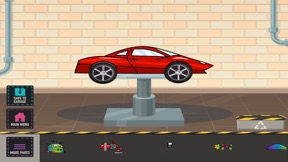
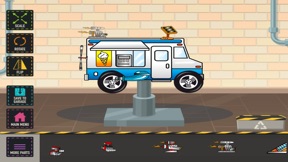
iPhone Screenshots

Screenshot
Screenshot
Screenshot
Screenshot
Screenshot

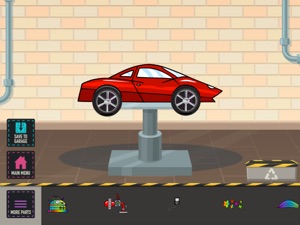
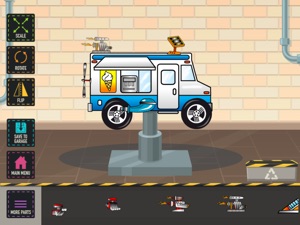
iPad Screenshots

Screenshot
Screenshot
Screenshot
Screenshot
Screenshot

Description

Create a car and drive it! Create a Car is a top-selling creativity app for children ages 3 to 6. The app has been featured in numerous print publications and is an Apple "Staff Favorite."
Create a Car is developed specifically for young children.
Features:
-Five player profiles
-Over 70 parts
-30 fun car styles
-Save creations to the garage
-Drive creations on the road
-Higher order questions based on Bloom’s Taxonomy
Education:
Sample lesson idea
Students use their imagination to invent vehicles to do specific tasks. Once the vehicle has been designed, students can save the vehicle in the garage. Next students can type information to describe the vehicle by following an instructional objective or by using the guidance questions provided. Finally, students can share the vehicle and their description with the class or teacher for feedback. All this can be done without leaving the Create a Car application!
Sample Bloom’s Taxonomy questions for the vehicle description feature
1. Knowledge: List and describe some of the vehicle parts.
2. Comprehension: Explain what this vehicle can do.
3. Application: Where can this vehicle be driven?
4. Analysis: Identify the most important vehicle parts and explain why they are important.
5. Synthesis: If you could create a part that is not in the game, what would it be?
6. Evaluation: How could your vehicle be improved?
How to create a car
-View parts by swiping left of right on the parts bin
-Select a part by dragging it from the parts bin to the work area
-Move a part around the work area by touching and dragging it
-Select a part in the work area by tapping it
-Deselect a part in the work area by touching the white background or another part
-Delete a part by dragging it to the parts bin
*Move the vehicle and all parts used together by touching the vehicle body and dragging it
-Scale a part by pressing and holding
-Flip a part by tapping once
-Rotate a part by pressing and holding
-Save vehicle to your garage
-Exit the work area and return to your profile
How to use My Garage
-View vehicles in the garage by swiping left or right on a vehicle
-Start your vehicle
-Add or edit vehicle information (name, description, features)
-Edit your vehicle’s appearance
-Delete your vehicle
-Exit the garage
How to drive (as far as you can)
-Touch anyplace on the screen to accelerate and steer
-Avoid skulls
-Collect suns
Game Settings (found in information)
Delete player profiles
-----------------------------
PRIVACY DISCLOSURE
Create a Car:
- Does not contain third-party ads.
- Does not contain in-app purchases.
- Does not contain integration with social networks.
- Does not use analytics/data collection tools.
- Does include links to apps by ABCya.com in the iTunes App Store.
For more information on our privacy policy please visit:
http://www.abcya.com/mobile_app_privacy_policy.htm
Create a Car is kidSAFE Certified.
---------------------------

What's New in Version 1.9

This app has been updated by Apple to display the Apple Watch app icon.
Create a Car has been updated for iOS 11!

Seller

Name

ABCya.com, LLC

Information

Developer

Categories

Version

1.9

Size

19.5 MB

Game Center

No

VPP Device Licensing

Yes

Rating

Rated: 4+

Compatibility

iOS 8.1 or later

Devices

iPhone 4S, iPhone 5, iPhone 5c, iPhone 5s, iPhone 6, iPhone 6 Plus, iPhone 6s, iPhone 6s Plus, iPhone SE, iPhone 7, iPhone 7 Plus, iPhone 8, iPhone 8 Plus, iPhone X, iPhone XR, iPhone XS, iPhone XS Max, iPhone 11, iPhone 11 Pro, iPhone 11 Pro Max, iPhone SE (2nd generation), iPhone 12, iPhone 12 Pro, iPhone 12 Pro Max, iPhone 12 mini, iPhone 13, iPhone 13 Pro, iPhone 13 Pro Max, iPhone 13 mini, iPhone SE (3rd generation), iPhone 14, iPhone 14 Plus, iPhone 14 Pro, iPhone 14 Pro Max, iPad 2 (Wi-Fi), iPad 2 (3G), iPad (3rd Generation) (Wi-Fi), iPad (3rd Generation) (4G), iPad (4th Generation) (Wi-Fi), iPad (4th Generation) (4G), iPad (5th Generation) Wi-Fi, iPad (5th Generation) Wi-Fi + Cellular, iPad (6th generation) Wi-Fi, iPad (6th generation) Wi-Fi + Cellular, iPad Pro, iPad Pro (Cellular), iPad Pro (9.7-inch), iPad Pro (9.7-inch) (Cellular), iPad Pro 12.9-inch (2nd generation), iPad Pro 12.9-inch (2nd generation) Wi-Fi + Cellular, iPad Pro (10.5-inch), iPad Pro (10.5-inch) Wi-Fi + Cellular, iPad Pro (11-inch), iPad Pro (11-inch) Wi-Fi + Cellular, iPad Pro 12.9-inch (3rd generation), iPad Pro 12.9-inch (3rd generation) Wi-Fi + Cellular, iPad Air, iPad Air (Cellular), iPad Air 2, iPad Air 2 (Cellular), iPad Air (3rd generation), iPad Air (3rd generation) Wi-Fi + Cellular, iPad mini (Wi-Fi), iPad mini (4G), iPad mini Retina, iPad mini Retina (Cellular), iPad mini 3, iPad mini 3 (Cellular), iPad mini 4, iPad mini 4 (Cellular), iPad mini (5th Generation), iPad mini (5th Generation) Wi-Fi + Cellular, iPad (7th generation) Wi-Fi + Cellular, iPad Pro 11-inch (2nd generation), iPad Pro 11-inch (2nd generation) Wi-Fi + Cellular, iPad Pro 12.9-inch (4th generation), iPad Pro 12.9-inch (4th generation) Wi-Fi + Cellular, iPad Air (4th Generation) (Wi-Fi), iPad Air (4th Generation) (Wi-Fi + Cellular), iPad (8th generation) Wi-Fi, iPad (8th generation) Wi-Fi + Cellular, iPad Pro 11-inch (3rd generation), iPad Pro 11-inch (3rd generation) Wi-Fi + Cellular, iPad Pro 12.9-inch (5th Generation), iPad Pro 12.9-inch (5th Generation) Wi-Fi + Cellular, iPad (9th Generation), iPad (9th Generation) Wi-Fi + Cellular, iPad mini (6th Generation), iPad mini (6th Generation) Wi-Fi + Cellular, iPad Air (5th generation), iPad Air (5th generation) Wi-Fi + Cellular, iPad Pro 11-inch (4th generation), iPad Pro 11-inch (4th generation) Wi-Fi + Cellular, iPad Pro 12.9-inch (6th generation), iPad Pro 12.9-inch (6th generation) Wi-Fi + Cellular, iPad (10th generation), iPad (10th generation) Wi-Fi + Cellular, iPod touch (5th generation), iPod touch (6th Generation), iPod touch (7th generation)

Languages

English

App Store: Customer Ratings

Ratings & Reviews

3.0 of 5 (1 Rating)

App Store: Customer Reviews

2015-11-24

I want more vehicles

I like the game very much.But I will give you five stars if you add more vehicles including bikes and parts for the car and you should change the app name to create a vehicle or create
vehicles.
Jewh123
Version 1.8
2012-01-23

Wow

I love the game (I'm only 8) i am a girl although but I still love vgd
Neha lekhwani's
Version 1.4
2011-07-24

car

I like building it's awesome
suzadamo
Version 1.4
2010-11-11

Great game

My son sac who is nearly 3 years old loves this game. Thanks for creating it
Zac mummy