Updating


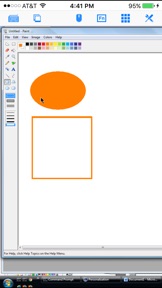
iPhone Screenshots



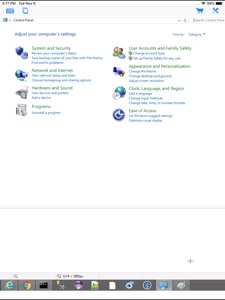
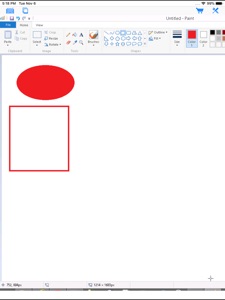
iPad Screenshots



Description
Specifically designed for both iPad and iPhone!! Optimized to use iPhone 4.0's HD screen!
If you want to access Windows PC from iPad/iPhone/iPod Touch, this is the app for you! Windows 7 Professional/Enterprise/Ultimate are supported!
iRemoteDesktop is a Windows Remote Desktop (RDP) client for iPhone/iPod Touch. Using it you can access your Windows PC from anywhere at anytime.
Note: Not all Windows support remote desktop. Check below for supported platforms or download the tool from http://www.hanamobiles.com/tools/HanaEasyConfig.exe.
Supported Platform:
- Windows XP Professional
- Windows Vista Business/Enterprise/Ultimate
- Windows 7 Professional/Enterprise/Ultimate
- Windows Server 2000/2003/2008
Important: The following systems are NOT supported:
- Windows XP Home
- Windows Vista Home Basic/Premium
- Windows 7 Home Starter/Basic/Premium
- Others not listed in "Supported Platform" section
Features:
- Multiple connections
- Portrait and landscape mode
- Various resolutions and colors support
- Modifier keypad including Shift, Ctrl and Alt which enables you to press almost any key combinations.
- Cut, copy & paste and other shortcuts keypad, including HOME, END, PAGE UP, PAGE DOWN, Arrow keys, etc.
- Virtual mouse pad for precise and easy mouse control
- Virtual left button and right mouse button
- Easy dragging and resizing using virtual mousepad
- Startup password protection
- Support video output (need iPad or iOS4 and output connector)
- External keyboard support
- International keyboard support for many languages, including French, German, Korean, Russian etc.
- Support iPhone built-in VPN
- Easy to use UI
Setup Instructions:
http://www.hanajobs.com/mobile/posts/list/6958.page
Note:
- Make sure Remote Desktop is enabled on your computer
- IMPORTANT: For Vista, Windows 7 and Windows Server, choose "Allow connections from computers running any version of Remote Desktop (less secure)"
- Modify firewall settings to allow Remote Desktop. You should try to connect from another Windows computer to make sure the Remote Desktop is enabled.
For more infomation on how to enable Remote Desktop, see
Windows XP: http://www.microsoft.com/windowsXp/using/mobility/getstarted/Remoteintro.mspx
Windows Vista/Windows 7:
http://www.howtogeek.com/howto/windows-vista/turn-on-remote-desktop-in-windows-vista/
http://windows.microsoft.com/en-US/windows-vista/Remote-Desktop-Connection-frequently-asked-questions
Tip:
Q: How to do right click?
A: To do a right click, tap the area you want to right click AND hold finger on the iPhone/iPod touch screen without releasing until you see the right context menu. Basically, press for a bit long time to do right click.
Q: How to grab/move a window, icon or something else?
A: Double tap and hold. For example, if you want to move a window in the desktop, double tap the window title bar and, on the second tap, hold down your finger until the window is grabbed, then move your finger around the screen to drag it to another position.
Send your comments/suggestions to hanamobiles@gmail.com or visit our website.
What's New in Version 1.4.2
- Support for iPhone XS Max
Seller
Name
Hana Mobile LLC
Information
Developer
Categories
Version
1.4.2
Size
13.3 MB
Game Center
No
VPP Device Licensing
Yes
Rating
Rated: 4+
Compatibility
iOS 8.0 or later
Devices
iPhone 4S, iPhone 5, iPhone 5c, iPhone 5s, iPhone 6, iPhone 6 Plus, iPhone 6s, iPhone 6s Plus, iPhone SE, iPhone 7, iPhone 7 Plus, iPhone 8, iPhone 8 Plus, iPhone X, iPhone XR, iPhone XS, iPhone XS Max, iPhone 11, iPhone 11 Pro, iPhone 11 Pro Max, iPhone SE (2nd generation), iPhone 12, iPhone 12 Pro, iPhone 12 Pro Max, iPhone 12 mini, iPhone 13, iPhone 13 Pro, iPhone 13 Pro Max, iPhone 13 mini, iPhone SE (3rd generation), iPhone 14, iPhone 14 Plus, iPhone 14 Pro, iPhone 14 Pro Max, iPhone 15, iPhone 15 Plus, iPhone 15 Pro, iPhone 15 Pro Max, iPhone 16, iPhone 16 Plus, iPhone 16 Pro, iPhone 16 Pro Max, iPhone 16e, iPad 2 (Wi-Fi), iPad 2 (3G), iPad (3rd Generation) (Wi-Fi), iPad (3rd Generation) (4G), iPad (4th Generation) (Wi-Fi), iPad (4th Generation) (4G), iPad (5th Generation) Wi-Fi, iPad (5th Generation) Wi-Fi + Cellular, iPad (6th generation) Wi-Fi, iPad (6th generation) Wi-Fi + Cellular, iPad Pro, iPad Pro (Cellular), iPad Pro (9.7-inch), iPad Pro (9.7-inch) (Cellular), iPad Pro 12.9-inch (2nd generation), iPad Pro 12.9-inch (2nd generation) Wi-Fi + Cellular, iPad Pro (10.5-inch), iPad Pro (10.5-inch) Wi-Fi + Cellular, iPad Pro (11-inch), iPad Pro (11-inch) Wi-Fi + Cellular, iPad Pro 12.9-inch (3rd generation), iPad Pro 12.9-inch (3rd generation) Wi-Fi + Cellular, iPad Air, iPad Air (Cellular), iPad Air 2, iPad Air 2 (Cellular), iPad Air (3rd generation), iPad Air (3rd generation) Wi-Fi + Cellular, iPad mini (Wi-Fi), iPad mini (4G), iPad mini Retina, iPad mini Retina (Cellular), iPad mini 3, iPad mini 3 (Cellular), iPad mini 4, iPad mini 4 (Cellular), iPad mini (5th Generation), iPad mini (5th Generation) Wi-Fi + Cellular, iPad (7th generation) Wi-Fi + Cellular, iPad Pro 11-inch (2nd generation), iPad Pro 11-inch (2nd generation) Wi-Fi + Cellular, iPad Pro 12.9-inch (4th generation), iPad Pro 12.9-inch (4th generation) Wi-Fi + Cellular, iPad Air (4th Generation) (Wi-Fi), iPad Air (4th Generation) (Wi-Fi + Cellular), iPad (8th generation) Wi-Fi, iPad (8th generation) Wi-Fi + Cellular, iPad Pro 11-inch (3rd generation), iPad Pro 11-inch (3rd generation) Wi-Fi + Cellular, iPad Pro 12.9-inch (5th Generation), iPad Pro 12.9-inch (5th Generation) Wi-Fi + Cellular, iPad (9th Generation), iPad (9th Generation) Wi-Fi + Cellular, iPad mini (6th Generation), iPad mini (6th Generation) Wi-Fi + Cellular, iPad Air (5th generation), iPad Air (5th generation) Wi-Fi + Cellular, iPad Pro 11-inch (4th generation), iPad Pro 11-inch (4th generation) Wi-Fi + Cellular, iPad Pro 12.9-inch (6th generation), iPad Pro 12.9-inch (6th generation) Wi-Fi + Cellular, iPad (10th generation), iPad (10th generation) Wi-Fi + Cellular, iPad Air 11-inch (M2) Wi-Fi, iPad Air 13-inch (M2) Wi-Fi, iPad Air 13-inch (M2) Wi-Fi + Cellular, iPad Pro 11-inch (M4) Wi-Fi, iPad Pro 11-inch (M4) Wi-Fi + Cellular, iPad Pro 13-inch (M4) Wi-Fi, iPad Pro 13-inch (M4) Wi-Fi + Cellular, iPad mini (A17 Pro) Wi-Fi, iPad mini (A17 Pro) Wi-Fi + Cellular, iPad (A16) Wi-Fi, iPad (A16) Wi-Fi + Cellular, iPad Air 11-inch (M3) Wi-Fi, iPad Air 11-inch (M3) Wi-Fi + Cellular, iPad Air 13-inch (M3) Wi-Fi, iPad Air 13-inch (M3) Wi-Fi + Cellular, iPod touch (5th generation), iPod touch (6th Generation), iPod touch (7th generation), Apple Watch Series 4, Apple Watch Series 5, Apple Watch Series 6 (GPS), Apple Watch Series 6 (GPS + Cellular), Apple Watch Series SE (GPS), Apple Watch Series SE (GPS + Cellular), Apple Watch Series 7 (GPS), Apple Watch Series 7 (GPS + Cellular), Apple Watch Series 8 (GPS), Apple Watch Series 8 (GPS + Cellular), Apple Watch SE (2nd generation) (GPS), Apple Watch SE (2nd generation) (GPS + Cellular), Apple Watch Ultra, Apple Watch Series 9 (GPS), Apple Watch Series 9 (GPS + Cellular), Apple Watch Ultra 2, Watch10, Watch10Cellular
Languages
English, Chinese, Dutch, French, German, Italian, Japanese, Korean, Portuguese, Russian, Spanish, Swedish
App Store: Customer Ratings
Ratings & Reviews
5.0 of 5 (1 Rating)
App Store: Customer Reviews
No Entry