AboutTermsPrivacyContact
 
Updating
Microsoft SharePoint

Microsoft SharePoint

Released: 2016-06-20
© 2016 Microsoft Corporation. All rights reserved.
Microsoft SharePoint - QR Code
Version 5.0.1
4+
Download on the App Store
Version 5.0.1
4+
Download on the App Store
Released: 2016-06-20
© 2016 Microsoft Corporation. All rights reserved.

iPhone Screenshots

Screenshot
Screenshot
Screenshot
Screenshot
Screenshot
Screenshot

iPad Screenshots

Screenshot
Screenshot
Screenshot
Screenshot
Screenshot
Screenshot

Description

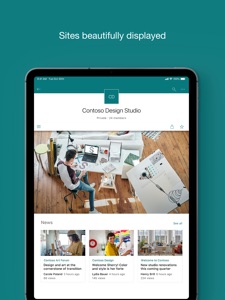
Find files, news, sites and people - personalized for you and your organization. SharePoint infuses AI into the mobile app experience to keep you focused and productive while on the go. AI builds an understanding of what you work on, how you work, and how your colleagues' work relates to you. When you need expertise, content, or resources when you're on the go, SharePoint is a great place to start looking.
 
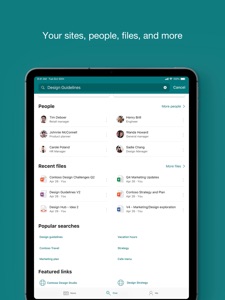
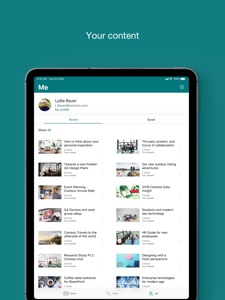
· Browse your sites, files, people and more to get back to what you were working on 
· Use search to find and discover important content
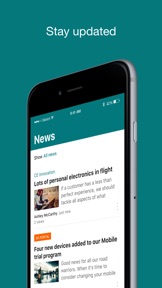
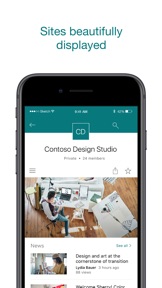
· Access your personalized view of team sites, communication sites, and news posts 
· Tap on a user to get to their contact card and see who they work with and what they are working on
· Create news posts on the go and share your updates, reports, status, and experiences with your team
· Sign in to your SharePoint sites, whether they're in the cloud or on-premises. The app works with SharePoint Online and SharePoint Server versions 2013 and higher
· Add multiple accounts, and easily switch between them
 
What people are saying:
 
The SharePoint mobile app has been featured in TechCrunch, The Verge, ZDNet, PCWorld and Computerworld.
 
Over 2 years of app store reviews:
"making collaboration easier than ever!!"""
"keeps me connected with my office documents and coworkers"
"seamless integration with other Office apps"
"it's so easy and simple to use!!"
 
Note: To sign in to SharePoint, your organization needs to have an Office 365 subscription that includes SharePoint Online or an on-premises SharePoint Server.
This app is provided by Microsoft. Data provided through the use of this store and this app may be accessible to Microsoft and transferred to, stored, and processed in the United States or any other country where Microsoft or its affiliates maintain facilities.

What's New in Version 5.0.1

Stability improvements and fixes.

Seller

Name

Microsoft Corporation

URL

Information

Categories

Version

5.0.1

Size

83.7 MB

Game Center

No

VPP Device Licensing

Yes

Rating

Rated: 4+

Compatibility

iOS 18.6 or later

Devices

iPhone 5s, iPhone 6, iPhone 6 Plus, iPhone 6s, iPhone 6s Plus, iPhone SE, iPhone 7, iPhone 7 Plus, iPhone 8, iPhone 8 Plus, iPhone X, iPhone XR, iPhone XS, iPhone XS Max, iPhone 11, iPhone 11 Pro, iPhone 11 Pro Max, iPhone SE (2nd generation), iPhone 12, iPhone 12 Pro, iPhone 12 Pro Max, iPhone 12 mini, iPhone 13, iPhone 13 Pro, iPhone 13 Pro Max, iPhone 13 mini, iPhone SE (3rd generation), iPhone 14, iPhone 14 Plus, iPhone 14 Pro, iPhone 14 Pro Max, iPhone 15, iPhone 15 Plus, iPhone 15 Pro, iPhone 15 Pro Max, iPhone 16, iPhone 16 Plus, iPhone 16 Pro, iPhone 16 Pro Max, iPhone 16e, iPhone 17, iPhone 17 Pro, iPhone 17 Pro Max, iPhone Air, iPhone 17e, iPad (5th Generation) Wi-Fi, iPad (5th Generation) Wi-Fi + Cellular, iPad (6th generation) Wi-Fi, iPad (6th generation) Wi-Fi + Cellular, iPad Pro, iPad Pro (Cellular), iPad Pro (9.7-inch), iPad Pro (9.7-inch) (Cellular), iPad Pro 12.9-inch (2nd generation), iPad Pro 12.9-inch (2nd generation) Wi-Fi + Cellular, iPad Pro (10.5-inch), iPad Pro (10.5-inch) Wi-Fi + Cellular, iPad Pro (11-inch), iPad Pro (11-inch) Wi-Fi + Cellular, iPad Pro 12.9-inch (3rd generation), iPad Pro 12.9-inch (3rd generation) Wi-Fi + Cellular, iPad Air, iPad Air (Cellular), iPad Air 2, iPad Air 2 (Cellular), iPad Air (3rd generation), iPad Air (3rd generation) Wi-Fi + Cellular, iPad mini Retina, iPad mini Retina (Cellular), iPad mini 3, iPad mini 3 (Cellular), iPad mini 4, iPad mini 4 (Cellular), iPad mini (5th Generation), iPad mini (5th Generation) Wi-Fi + Cellular, iPad (7th generation) Wi-Fi + Cellular, iPad Pro 11-inch (2nd generation), iPad Pro 11-inch (2nd generation) Wi-Fi + Cellular, iPad Pro 12.9-inch (4th generation), iPad Pro 12.9-inch (4th generation) Wi-Fi + Cellular, iPad Air (4th Generation) (Wi-Fi), iPad Air (4th Generation) (Wi-Fi + Cellular), iPad (8th generation) Wi-Fi, iPad (8th generation) Wi-Fi + Cellular, iPad Pro 11-inch (3rd generation), iPad Pro 11-inch (3rd generation) Wi-Fi + Cellular, iPad Pro 12.9-inch (5th Generation), iPad Pro 12.9-inch (5th Generation) Wi-Fi + Cellular, iPad (9th Generation), iPad (9th Generation) Wi-Fi + Cellular, iPad mini (6th Generation), iPad mini (6th Generation) Wi-Fi + Cellular, iPad Air (5th generation), iPad Air (5th generation) Wi-Fi + Cellular, iPad Pro 11-inch (4th generation), iPad Pro 11-inch (4th generation) Wi-Fi + Cellular, iPad Pro 12.9-inch (6th generation), iPad Pro 12.9-inch (6th generation) Wi-Fi + Cellular, iPad (10th generation), iPad (10th generation) Wi-Fi + Cellular, iPad Air 11-inch (M2) Wi-Fi, iPad Air 13-inch (M2) Wi-Fi, iPad Air 13-inch (M2) Wi-Fi + Cellular, iPad Pro 11-inch (M4) Wi-Fi, iPad Pro 11-inch (M4) Wi-Fi + Cellular, iPad Pro 13-inch (M4) Wi-Fi, iPad Pro 13-inch (M4) Wi-Fi + Cellular, iPad mini (A17 Pro) Wi-Fi, iPad mini (A17 Pro) Wi-Fi + Cellular, iPad (A16) Wi-Fi, iPad (A16) Wi-Fi + Cellular, iPad Air 11-inch (M3) Wi-Fi, iPad Air 11-inch (M3) Wi-Fi + Cellular, iPad Air 13-inch (M3) Wi-Fi, iPad Air 13-inch (M3) Wi-Fi + Cellular, iPad Pro 11-inch (M5) Wi-Fi, iPad Pro 11-inch (M5) Wi-Fi + Cellular, iPad Pro 13-inch (M5) Wi-Fi, iPad Pro 13-inch (M5) Wi-Fi + Cellular, iPad Air11M4, iPad Air11M4Cellular, iPad Air13M4, iPad Air13M4Cellular, iPod touch (6th Generation), iPod touch (7th generation)

Languages

English, Arabic, Catalan, Chinese, Croatian, Czech, Danish, Dutch, Finnish, French, German, Greek, Hebrew, Hungarian, Indonesian, Italian, Japanese, Korean, Norwegian Bokmål, Polish, Portuguese, Romanian, Russian, Slovak, Spanish, Swedish, Thai, Turkish, Ukrainian, Vietnamese

App Store: Customer Ratings

Ratings & Reviews

4.6 of 5 (3,513 Ratings)

App Store: Customer Reviews

2026-02-03

Email

Prefer direct information once a time. You lead me to Holland
kristy Ang
Version 1.3
2025-01-17

Video zoom and background playback

Unable to zoom in on videos.
Unable to continue playing videos in the background
Cético
Version 4.53.5
2022-04-07

Swab declaration

Very lagging, not friendly user.
Hopefully can declare through crew app, it’s more convenient there
FS Gab
Version 4.24.1
2021-08-20

Attachment option on Site

Not able to upload a file from OneDrive from when within a site. The attachment options from iPad is only to “Add photos”. Why can’t I add file?!
ivykaiyu
Version 2.5.0
2021-07-04

Can’t adjust sizes for web part.

The new version of share point can’t adjust sizes for embedded web parts. Like announcements or list. And also spaces between each sections are bug.
chip20201982
Version 4.55.2
2020-09-27

Planner-1

d gf
planning_-
Version 4.38.1
2020-09-19

Blank screen

sign out and sign in again. Please update the bugs.
je1133
2017-10-21

Crashed

App closing all the times when I use left menu...
vinay kasireddy
Version 4.41.3
2017-03-08

This update have problem to load infopath form

Please fix this issue soonest possible.
Do not make my previous 5 start disappointed.
======••===========
It was :
This version can support infopath form now
Glad to see this improve, this is the function we are looking for.
Thanks for the good work!
Shleung
Version 4.37.0
2016-08-15

Able to sync with work SharePoint

Easy setup, it used login from the OneDrive. The activity page let me view last few users on same files. Good tracking.
lok360
Version 4.34.1